
- What is Payroll Management Software?
- Why Payroll Management Software is Important for Businesses
- How Payroll Management Software Works
- Key Features to Look For in Payroll Management Software
- Important Integrations in a Payroll Software
- Types of Payroll Management Software
- Benefits of Using Payroll Management Software
- Payroll Management Software vs Manual Payroll Processing
- How to Choose Payroll Management Software
- Conclusion
- Frequently Asked Questions (FAQs)
IBM’s 2022 report confirmed that “AI in payroll reduces manual errors by 30%,” underscoring how important automation has become in the HR industry.
The inclusion of payroll management software in the HR operations can bring ease and proficiency because manual processes are time-consuming, costlier, and error-prone. A well-chosen payroll automation system streamlines regular processes, improves productivity, and ensures compliance.
Still not sure about investing in payroll automation? Get all important details here and make an informed decision based on stats and key insights.
What is Payroll Management Software?
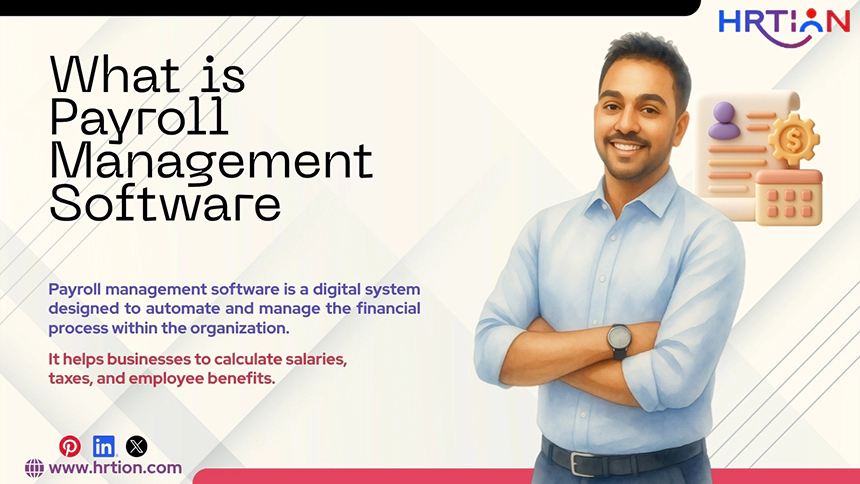
Payroll management software is a digital system designed to automate and manage the financial process within the organization. It helps businesses to calculate salaries, taxes, and employee benefits. Moreover, it performs administrative tasks like payslip generation, ensuring compliance with legal regulations.
Earlier, these tasks were handled manually using spreadsheets and paper-based databases. But these methods were prone to errors and delays, causing organizational disruption and employee dissatisfaction.
Payroll systems eliminate these issues and provide an automated platform that centralizes data and handles repetitive tasks in an error-free manner. Current studies have revealed that an efficient payroll system can reduce payment errors by 70% and save 16 hours/month processing time.
Why Payroll Management Software is Important for Businesses
A research paper published in the journalwjarr, shows that payroll automation has increased employee satisfaction by 32%. It also includes a reference: “According to research from the American Payroll Association, modern automation has reduced these incidents to less than 2% of all payroll transactions, directly correlating with a 28% increase in overall workplace satisfaction scores”.
So, the adoption of payroll systems has increased drastically among global business markets because it:
- Ensures accurate salary calculations: Payroll tools calculate wages, overtime, bonuses, and reductions automatically without requiring manual inputs
- Maintains compliance and regulations: Payroll systems are trained to follow and apply updated tax and compliance laws to reduce legal risks.
- Saves time and effort: The tool automates time-consuming and repetitive tasks, thus helping organizations to dedicate time to building strategy and improving culture.
- Improve employee trust and satisfaction: the foremost priority of the company is to keep employees happy, and with zero payment problems, companies can achieve this goal.
- Support Scalability: Companies need a supporting partner that can help in business growth and scalability without accelerating the investments.
- Enhance data security: Payment information is usually sensitive, and a payroll system can secure financial data by offering security features like data encryption, access control, and secure data storage.
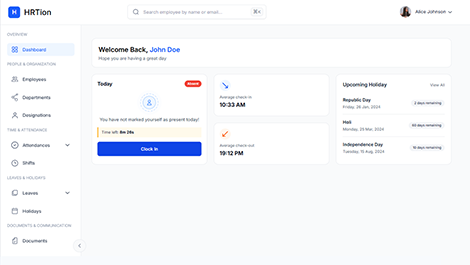
Manage the payroll, attendance, shift roles, and more in an all-encompassing HR suite. Your ultimate HR toolkit is just a click away.
How Payroll Management Software Works
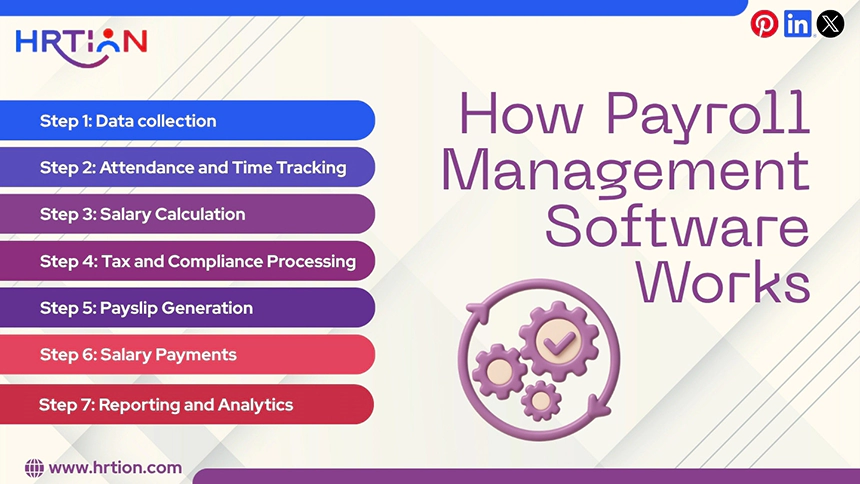
A payroll management tool automates the entire payroll cycle, from collecting data to processing salaries.
The workflow of the payroll management system is quite simple. Here are the steps that it follows.
Step 1: Data collection
The tool first collects the related and critical data such as salary structure, bank account details, tax identification numbers, benefits and allowances, and work schedules. The information is then kept safe in a centralized database for future reference and use.
Step 2: Attendance and Time Tracking
Payroll systems include attendance tracking systems to keep records of employee work hours, leaves, overtime, and more. With accurate details, the tool can process correct salary calculations.
Step 3: Salary Calculation
The system calculates all the employees’ compensations according to the preset salary structure. This includes basic salary, allowance, overtime pay, bonuses, deductions, etc.
Step 4: Tax and Compliance Processing
Payroll software ensures tax and compliance management automatically. It takes care of income tax and other statutory regulations. The tool automatically generates compliance reports for tax filing in the future.
Step 5: Payslip Generation
Once payroll calculations are done, the payroll system generates payslips that are accessible to employees through a digital portal. It includes all the details required for an employee.
Step 6: Salary Payments
Many payroll systems can even process the salary and make the payments when integrated with banking platforms. So, it saves a lot of effort as companies don’t need to transfer salaries individually.
Step 7: Reporting and Analytics
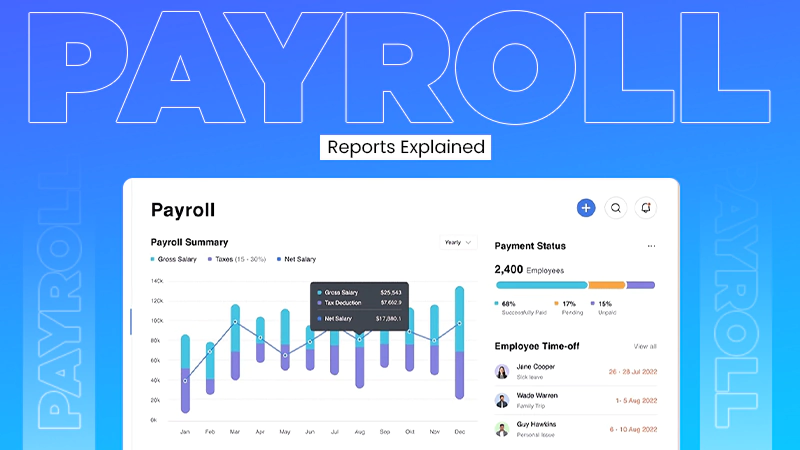
Payroll software renders details, reports, and analytics through a digital dashboard. It can display payroll expenses, compensation trends, and tax liabilities.
Key Features to Look For in Payroll Management Software
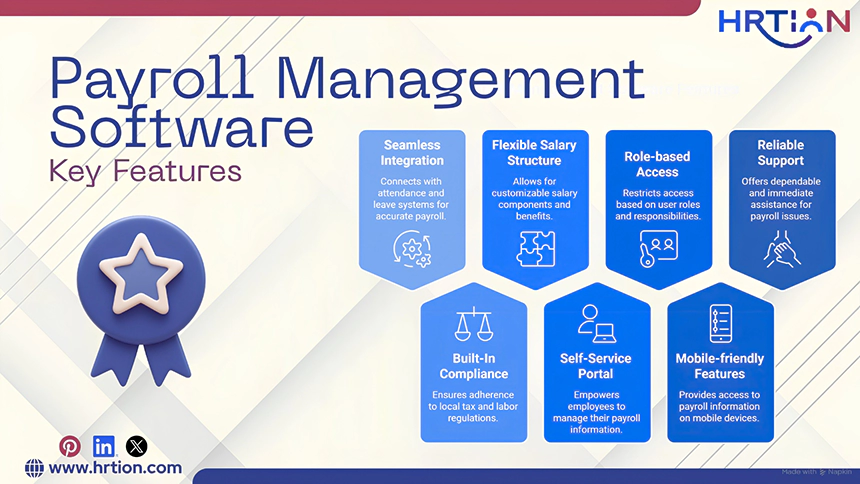
When selecting payroll management tools, some features are inevitable to have. An ideal pay tool must include:
- Seamless Integration With The Attendance And Leave System
Payroll software should be able to connect with attendance and leave systems such as biometrics, mobile check-ins, and online attendance portals. The tool should automatically reflect working days, overtime, and leave balance.
- Built-In Compliance For Local Tax And Labour Regulations
The system should provide support for statutory requirements such as provident fund, ESI, TDA, and other professional taxes. This helps organizations to stay aligned with the government regulations.
- Flexible and Customizable Salary Structure
An ideal payroll system should allow HR professionals to create a custom salary plan/structure. It must include basic salary, HRA and allowances, incentives, overtime, deductions, and reimbursements.
- Self-Service Portal
Employee self-service portals should allow staff and HR alike to handle tasks on their own. From downloading payslips, submitting taxes, applying for leave and updating bank details. This maintains transparency and reduces workload.
- Role-based Access
A payroll system consists of sensitive information such as bank details, documents, and personal data. Thus, the tool must adhere to security protocols such as role-based access, data encryption, audit trails, and controlled permissions.
- Mobile-friendly Features
The payroll tools must be friendly with mobile devices so that employees and the HR team can access information anytime, anywhere. Handle tasks manually and receive real-time updates.
- Reliable and Immediate Support
Instant support is important for an overall experience with the tool. It assists users with setup, configuration, query handling, and more.
Important Integrations in a Payroll Software
Payroll management usually doesn’t run in isolation, as it is often integrated with other HR systems; thus, it must include different integration capabilities:
- HR Software Integration: The payroll tool must be able to sync with HR tools to fetch data like job roles, salary structure, and other employee details.
- Benefits administration Integration: With deductions and benefits integrated with payroll software, the calculations become even easier and more accurate.
- Time and attendance Integration: The integration of attendance and leave systems is crucial for payroll calculations based on work hours, overtime, pending leaves, and other compensations.
- Accounting Software Integration: The tool must be able to automatically record payroll transactions such as salaries, taxes, and deductions for seamless bookkeeping and finance management.
- Recruitment Tools Integration: It must transfer new employee information from recruitment software to payroll software for a smoother transition and simplified onboarding process.
- Learning Management System (LMS) Integration: Providing help in tracking employee learning graphs, through training and certifications, can be a plus.
- Expense Management Integration: The tool must automatically process the reimbursements and other expenses.
- Performance Management Integration: The performance data integrated with payroll software helps in correct compensation.
Types of Payroll Management Software
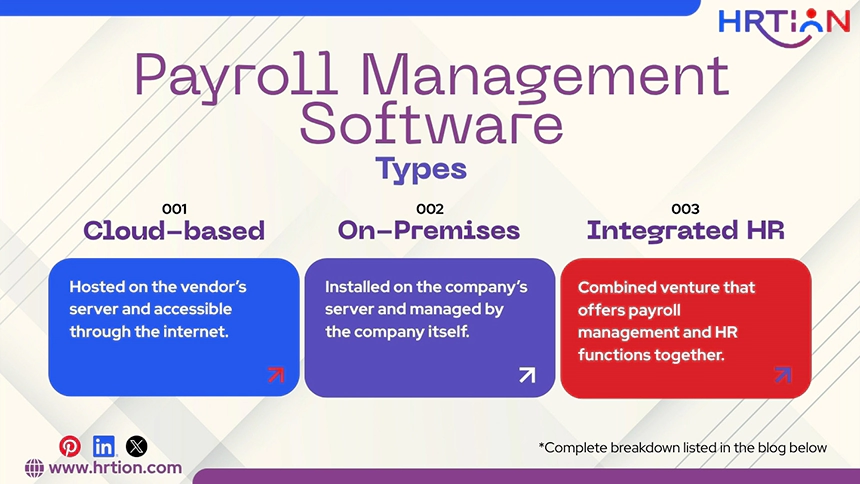
Payroll management solutions come in different forms based on integration and deployment. Here are some common types:
- Cloud-based Payroll Software
Cloud-based systems are hosted on the vendor’s server and accessible through the internet. It can be accessed using a web browser or mobile device to manage payroll operations.
These solutions offer scalability, remote access, automatic updates, and lower maintenance costs.
Cloud-based tools are best for small to mid-sized businesses due to flexibility and affordability. Stats by Zipdo say that roughly 62%-65% of SMBs will use cloud-based payroll software in 2023.
- On-Premises Payroll Software
On-premises payroll software is installed on the company’s server and managed by the company itself. It offers better data security but requires robust infrastructure and a technical support team.
- Integrated HR and Payroll Software
Integrated solutions are a combined venture that offers payroll management and HR functions together. It handles recruitment, performance management, and attendance tracking. This is a unified HR platform that improves operational efficiency and consistency.
Benefits of Using Payroll Management Software
Payroll software provides several benefits to organizations that require development and precision in payroll and financial processes.
Some major benefits are the following:
- Seamless payroll accuracy to eliminate calculation errors so that employees can receive correct payments.
- Saves time for the companies on the run. It fastens the entire payroll process.
- Helps ensure compliance with regulations by promptly updating tax laws and legal requirements.
- Reduced workload by automating the administrative process and manual calculations.
- Includes enhanced data security with features like end-to-end encryption and protection of sensitive data.
- Provides clear analytics on finance-related matters to track payroll expenses and plan the company’s overall budget.
- Empowers employees with a self-service portal to ensure transparency and convenience.
Payroll Management Software vs Manual Payroll Processing
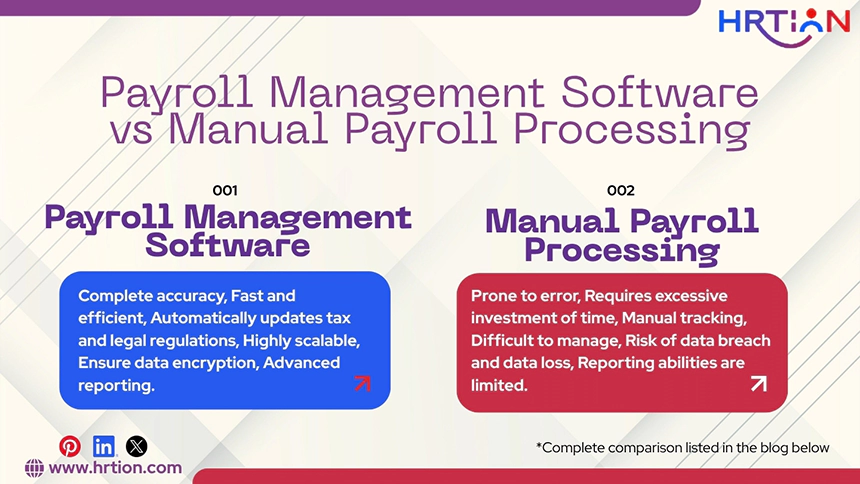
How automated payroll systems can differ from manual payroll management on the basis of aspects that can improve operational efficiency.
| Aspect | Payroll Management Software | Manual Payroll Processing |
| Accuracy | Complete accuracy due to process automation | Prone to error due to manual entries and paperwork |
| Time invested | Fast and efficient, it saves time. | Requires excessive investment of time because of manual calculations. |
| Compliance management | Automatically updates tax and legal regulations for improved compliance. | Manual tracking may cause delays and legal issues. |
| Scalability | Highly scalable and grows as the company scales. | Difficult to manage as the workforce and company grow. |
| Data Security | Ensure data encryption due to built-in security features. | Risk of data breach and data loss. |
| Reporting | Advanced reporting and analytics | Reporting abilities are limited. |
How to Choose Payroll Management Software
Choosing the right payroll management software can be tricky. Payroll management is a crucial aspect of a company’s growth; thus, organizations must give some extra thought while picking up payroll management software. It should be able to simplify the payroll process, reduce errors, and integrate with other systems.
Here are the key factors to consider when choosing a payroll management tool:
Step 1: Understand Business Requirements
Firstly, companies should analyze their specific payroll requirements. Company size, number of employees, pricing, and compliance needs must be considered.
Step 2: Evaluate Compliance and Tax Support
Payroll software must be able to support labor laws, tax regulations, and other statutory requirements. A good payroll solution must automatically update the changed laws and tax rules and then calculate deductions accordingly.
Step 3: Check Integration Capabilities
A payroll tool must be capable of integrating with other HR software such as HRMS, accounting platforms, attendance systems, and benefit portals. Seamless integration ensures a smooth transition of data from one portal to another without manual efforts.
Step 4: Look for Automation Features
Automation is the backbone of any payroll solution. The businesses must choose a tool that can automate essential tasks such as salary calculation, tax deductions, overtime, and benefits management, along with payslip generation.
Step 5: Strong Data and Security Protection
The payroll system contains sensitive data, and thus, end-to-end encryption can not be overlooked. Being security a critical factor, the software must include security features like role-based access and safe cloud storage.
Step 6: Consider Ease of Use
A user-friendly interface is one important factor when choosing payroll software. The system must include an intuitive interface, easy navigation, and simple payroll processing so that employees and HR can use it without training and technical skills.
Step 7: Check Reporting and Analytics
An ideal payroll tool must be able to provide reports and analytics to get the right and real-time information on payroll expenses, tax liabilities, and workforce budgets.
Step 8: Check Pricing and Scalability
The tool must grow as your company expands; thus, find a tool that can scale with the organization. Also, the amount you are paying must justify the operational features you are getting. It must not consist of additional charges or hidden costs for implementation or support.
Step 9: Review Vendor Support and Industry Reputation
Immediate and reliable customer support is essential for long-term growth. So, before trusting a vendor, check online reviews and ratings and contact support services to ensure that the provider can be trusted with the business’s financial data.
Conclusion
Whether you are a growing company or an already established enterprise, a good payroll solution can be proven to be advantageous. Thus, despite the stage your business is on, implementing a payroll solution will accelerate growth, accuracy, and productivity.
In case you need a solution that offers HR management and payroll solutions simultaneously, a perfect option would be HRtion. This HRMS includes built-in payroll management features, best suited for SMBs and scaling organizations.
Frequently Asked Questions (FAQs)
What is payroll management?
Payroll management is a process of calculating, organizing, and distributing salaries, payments, or compensations. It also includes payment records, tax deductions, and compliance management.
What are the 5 payroll steps?
The main steps in payroll management are collecting employee information, calculating total pay, applying deductions, processing payments, and maintaining payroll records.
What is the difference between HR and payroll?
Human Resource is a broader term that views employees as resources. It includes recruitment, onboarding, training, performance, and policy management.
How does payroll software support regulatory compliance and tax reporting?
Payroll software automatically applies tax rules, labor laws, and statutory deductions. It automatically calculates all the taxes and generates a report to stay compliant with the government policies.
Can payroll software process payroll for employees in multiple countries?
Yes, well-designed payroll software can support global payroll by handling currencies, laws, regulations, and labor laws across countries.
Sources:

Bhavesh is a Guest Writer at HRTion with an academic background in HR. He did an HR management course in 2025. Before transitioning to HR content writer, he worked as an Academic Content Writer at Trident Management for over 6 years. His expertise in recruitment processes & strategies helps him write detailed and clear content that is not only informative but also accessible for everyone.