
- What is Cloud-Based HR software?
- What is On-Premises HR Software?
- Advantages and Disadvantages of Cloud-Based HR software
- Advantages and Disadvantages of On-Premises Software
- Comparison Table: Cloud vs On-Premise HR Software
- Factors to Consider Before Deciding between On-Premise HRMS and Cloud HRMS
- Cloud vs. On-Premise HR Software: Which One is Right for Your Business?
- Cost Comparison of Cloud-Based and On-premises
- Conclusion
- Frequently Asked Questions (FAQs):
Choosing between cloud-based and on-premises HR software is an important decision for smoother operations and better management.
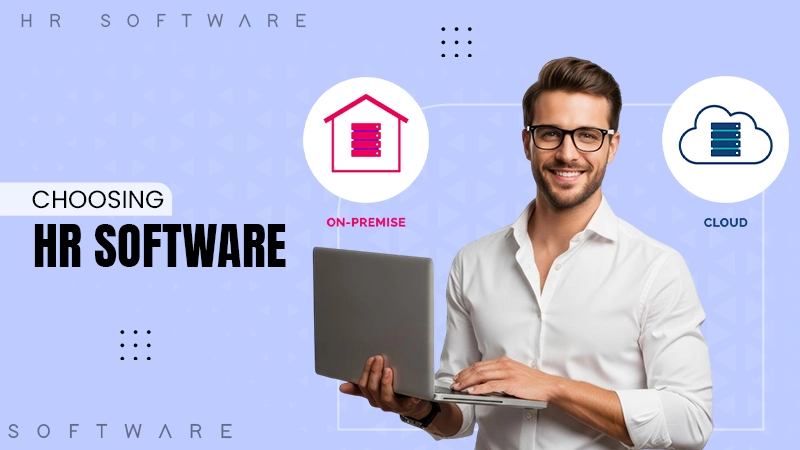
Both HR systems can perform basic HR functions like attendance, payroll, recruitment, and record management. But the difference lies in hosting; cloud-based HR software is hosted on the vendor’s server, whereas on-premises software is installed on the company’s server.
Understanding the key differences between both makes businesses choose the right model as per their IT capacity, overall budgeting, and security requirements.
What is Cloud-Based HR software?
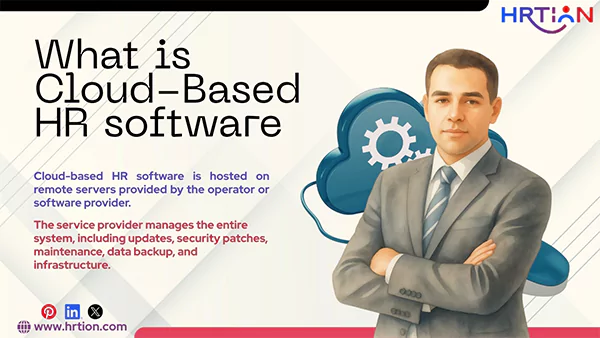
Cloud-based HR software is hosted on remote servers provided by the operator or software provider. It is not installed on the company’s internal server and can be accessed using the internet through a web browser or a mobile application.
The service provider manages the entire system, including updates, security patches, maintenance, data backup, and infrastructure. Businesses pay the subscription charges by buying monthly or annual packages, depending on the number of features and employees.
Features of Cloud HR software:
- Web-based access: Employees and the HR team can access the system anytime from any location.
- Automatic updates: The vendor automatically rolls out the updates and feature enhancements.
- Subscription-based pricing: The pricing is flexible, depending on the usage.
- Scalability: The add-ons can be availed of by paying an extra fee.
- Mobile accessibility: the mobile apps can be used for managing attendance, leaves, and approvals.
- Data backup and recovery: Backups and recovery are managed by the operator itself.
- Third-party integrations: Seamless integrations using accounting, ERP, and recruitment tools.
- Real-time data insights: Instant access to the analytics and dashboards of the tool.
What is On-Premises HR Software?
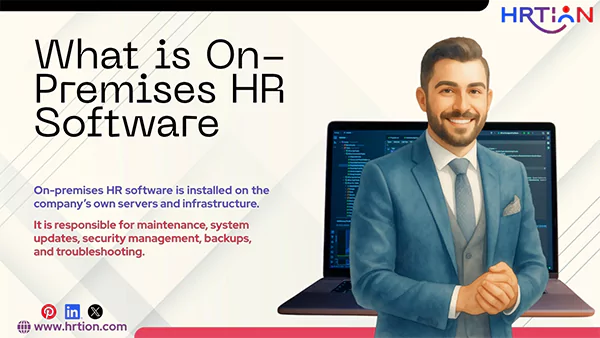
On-premises HR software is installed on the company’s own servers and infrastructure. The organization purchases the license and hosts the system internally.
The on-premises software is managed by the company’s own IT team, which is responsible for maintenance, system updates, security management, backups, and troubleshooting. This module offers control over everything related to data, backup, recovery, and system customization. This system requires a higher investment to start with, but does not need a monthly or annual fee.
Features of On-Premises HR Software:
- Local Installation: Hosted within the company’s own server.
- One-time licensing fee: It is purchased one time, and no other subscription is required.
- Full control over data: All employee data is saved on the company’s server.
- High Customization: Deep configuration options designed for different business needs.
- Internal Security Management: The company controls firewalls, encryption, and compliance.
- Office accessibility: It can operate within internal networks without any internet access.
- Manual updates: The IT teams of the company handle upgrades and security patches.
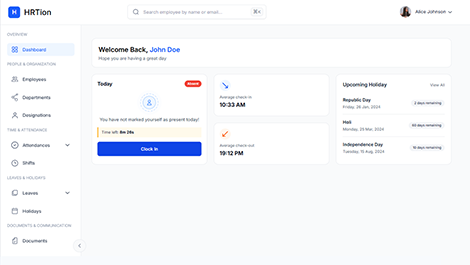
Manage the payroll, attendance, shift roles, and more in an all-encompassing HR suite. Your ultimate HR toolkit is just a click away.
Advantages and Disadvantages of Cloud-Based HR software
Cloud based HR management software is great to start with, but like any other technology, there can be a few limitations connected to it. Here is a tabular representation to weigh the advantages and disadvantages of cloud-based systems.
| Advantages | Disadvantages |
| 1. Lower upfront cost, as no server setup is required. | 1. The organization needs to pay monthly or yearly fees. |
| 2. Quick setup can be used instantly. | 2. Need a regular internet supply to work properly. |
| 3. Easy to add more members as your company grows. | 3. Less control over the data stored. |
| 4. Can be used from any location | 4. Lesser customization options available. |
| 5. Automatic updates | 5. Dependency on the software provider for support. |
| 6. No training or IT team required. | 6. Transitioning from one vendor to another can be difficult. |
Advantages and Disadvantages of On-Premises Software
Advantages and disadvantages of on-premises are important to comprehend to make the right comparison. Check them below before you make a choice.
| Advantages | Disadvantages |
| 1. Full control over employee data. | 1. Higher initial cost for setup and hardware. |
| 2. Complete customization as per the company’s needs. | 2. Needs a strong IT team to manage it. |
| 3. Data is stored and saved inside the company’s server. | 3. It takes time to install and set up. |
| 4. Can be accessed through the internal network without requiring internet access. | 4. Expanding the system can be expensive and tricky. |
| 5. Suitable for companies with strict data rules. | 5. The company itself handles the updates and maintenance |
| 6. No need to pay a monthly subscription fee. | 6. The maintenance cost can be high. |
Comparison Table: Cloud vs On-Premise HR Software
A quick analysis of both HR models and how they cater to different HR aspects:
| Aspects | Cloud-Based HR Software | On-Premise HR Software |
| Hosting | Vendor servers | Company-owned servers |
| Cost Model | Subscription (OPEX) | One-time license (CAPEX) |
| Upfront Investment | Low | High |
| Maintenance | Vendor-managed | In-house IT |
| Accessibility | Anywhere via internet | Local network access |
| Scalability | Highly flexible | Hardware-dependent |
| Data Control | Shared responsibility | Full internal control |
| Updates | Automatic | Manual |
| Implementation Speed | Quick | Time-consuming |
| IT Dependency | Low | High |
Factors to Consider Before Deciding between On-Premise HRMS and Cloud HRMS
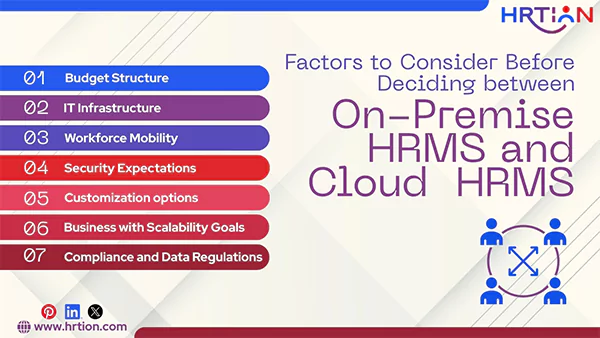
When choosing the right HR model, you need to make a strategic evaluation. Here are the important factors to consider:
- Budget Structure
If your company prefers spending predictable monthly expenses instead of investing one time, Saas based HR will benefit more. However, if the budget allows a one-time and heavy payment with no or minimal recurring payment, on-premises will work better.
- IT Infrastructure
For organizations that have a strong IT team, on-premises systems will suit them better. But small companies can benefit from a vendor-managed cloud based HR management software.
- Compliance and Data Regulations
For companies that belong to industries like banking, healthcare, and government, the on-premises option is better. It offers strict data regulations and saves all data on a local network.
- Workforce Mobility
Remote and hybrid work environments can benefit from cloud-based systems.
- Business with Scalability Goals
Organizations that need flexible systems and are looking for expansions can choose cloud-based HR systems.
- Customization options
If your HR processes are unique and need frequent changes, on-premises software will offer deeper customization.
- Security Expectations
You need to consider the risks and data threats while choosing software. For this, you need to evaluate both options, depending on the type of security your organization requires.
Cloud vs. On-Premise HR Software: Which One is Right for Your Business?
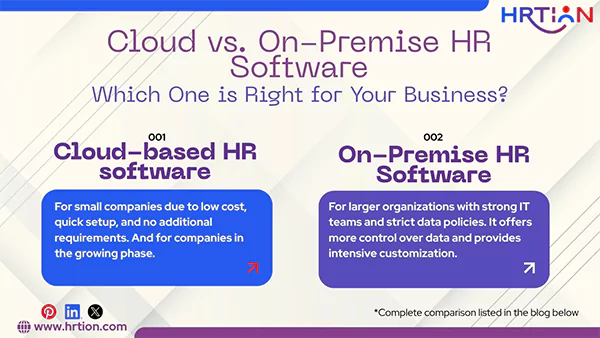
There is no one-size-fits-all rule to select the type and model of the HR system. A company needs to select a system that fits its size, operational capacity, and long-term growth strategy.
- For startups and small businesses:
Cloud-based HR software is a better choice for small companies due to low cost, quick setup, and no additional requirements. It works well without a dedicated IT team. Small businesses can start immediately and scale their setup as they grow.
- For mid-sized companies:
Companies in the growing phase can rely upon cloud HR software because it offers more flexibility. You can add more features and employees as your company grows.
- For Large Enterprises:
Larger organizations with strong IT teams and strict data policies usually prefer software that runs on their company’s server. Therefore, on-premises software is an ideal choice for them. It offers more control over data and provides intensive customization.
Cost Comparison of Cloud-Based and On-premises
| Cost Component | Cloud-Based HR Software | On-Premise HR Software |
| Initial Setup Cost | Low only subscription setup fees | High hardware, server, and software license costs |
| Software License | Subscription-based (monthly/annual) | One-time license purchase |
| Infrastructure Cost | No server or data center cost | Must purchase servers, storage, and network equipment |
| IT Staffing | A minimal provider manages most tasks | High internal IT team required |
| Maintenance & Upgrades | Included in subscription | Additional internal cost |
| Security Management | Handled by vendor | Managed by internal IT resources |
| Scalability Cost | Easy to scale with minimal added cost | High, requires additional hardware |
| Backup & Disaster Recovery | Included in vendor services | Additional setup and cost |
| Support & Training | Often included or optional at cost | Internal or third-party cost |
| Total Cost Over Time | Predictable recurring payments | Larger upfront cost + ongoing internal costs |
| Estimated Cost (Annually) | $10000 to $35000+ (Depends on Service Provider or Subscription Plan) | $100 to $350 (Depends on IT Team and Internal Resource) |
Quick Takeaway: Cost Breakdown in Simpler Terms
Cloud-Based HR Software:
Cloud HR software is usually cheaper due to low upfront fees and predictable costs.
- Low initial cost: Pay a monthly and annual fee only.
- No hardware cost is required.
- Maintenance is included in vendor support, so no additional fee.
- Cost increases gradually over time.
On-Premises HR Software:
On-premises HR software requires a large setup and high spending, along with internal expenses.
- High upfront cost, including software licenses, servers, and infrastructure.
- Ongoing IT team costs: you need to pay for internal staff, security, upgrades, and data backups.
- Scalability may cost more due to hardware upgrades.
Conclusion
Cloud-based and on-premises software both work equally great; thus, choosing one can sometimes be a confusing task. Before choosing a system, it is crucial to understand and decipher your business’s needs, strengths, and capabilities.
There is no perfect solution for every business. If you prefer scalability, ease, and affordability, go for a cloud HR software, but if deeper customization and intensive security are your preferences, on-premises can be a better fit.
Frequently Asked Questions (FAQs):
Is cloud-based HR software better?
Cloud HR software is a better choice for businesses that want lower costs, quick setup, remote access, and easy scalability. It works great for startups, small businesses, and companies with hybrid or remote teams.
What is the difference between on-premises and cloud-based?
The main difference between on-premises and cloud-based HR software is the following:
- Cloud-based is hosted on the provider’s server and accessed through the web. The vendor handles maintenance, security, and upkeep.
- On-premises software is installed on the company’s hardware. The organization itself handles security, updates, and infrastructure.
What are some good cloud-based HR software?
- Cloud-based options: HRtion, BambooHR, Deel, and Zoho HR.
- On-Premises options: FactoHR, PocketHRMS, SAP SuccessFactors, and Oracle HCM.
Which is more secure, on-premises or cloud-based HR software?
Both are secure, but with on-premises software, a company gets holistic control over data, and no internet access is required. Whereas cloud-based saves data on the vendor’s server, it is highly secure and encrypted.

Sunita Kumari is a Freelance Contributor Writer at HRTion, writing accurate, reliable, and informative content. She completed her Bachelor's from Rajdhani College of the University of Delhi. She has been a Human Resources Recruiter for almost 2 years, including over 1 year with Battersea Web Expert. Drawing on her recruitment and HR processes experience, she writes clear and practical payroll-related guides that help employees and job candidates better understand HR procedures and workplace practices.