
- How to Choose HR Software: Pick the Best for Your Business
- Why You Need to Choose the Right HR Software
- Types of HR Software Explained (HRIS, HRMS, HCM & More)
- When is the Right Time to Invest in HR Software?
- HR Software For Small Businesses vs. HR Software For Large Businesses
- Common Mistakes to Avoid When Choosing HR Software
- HRtion: One Tool That Checks All Boxes
- Frequently Asked Questions:
In 2026, HR software is not only needed to manage payroll or hiring, but it is also required to enhance employee experience, company culture, and long-term success.
But the challenge here is how to choose HR software, as the market is flooded with automated solutions. Most importantly, not every solution is meant for your business, and an unsuitable one can cost you money, productivity, and valuable time.
Simply said, the right HR tool can be a great partner for the growth of your business by simplifying operations, reducing manual load, and boosting scalability.
So, here is a complete buyer’s guide on how to choose HR software for a company, just to prepare you for a better tomorrow.
How to Choose HR Software: Pick the Best for Your Business
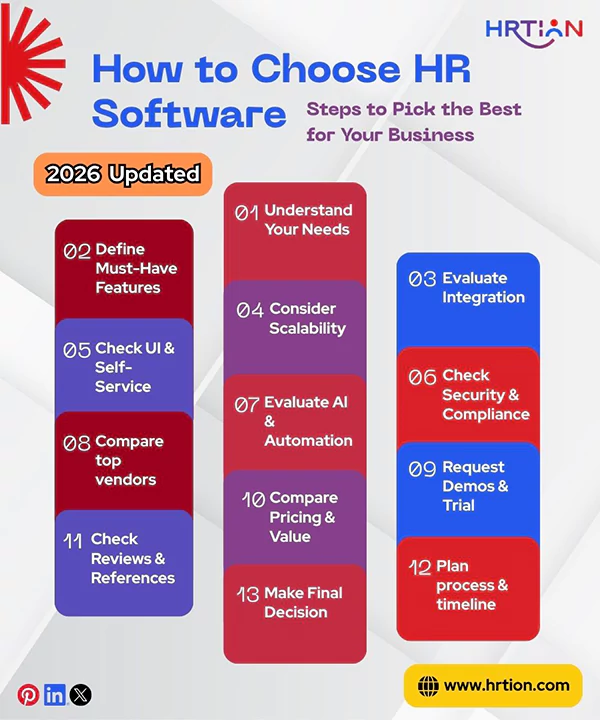
Choosing HR software for your business can be efficiently managed if you follow the steps in the order they are given.
Quick tip: Before you begin your quest, keep your organization’s data prepared, involve stakeholders in the research, and check the technical tendencies of the systems you are using so that you can remain prepared for advanced automation.
Step 1: Understand Your Company’s Needs and HR Challenges
Start by evaluating your company’s goals and challenges that your HR team often comes across. Find out what process needs the most time, where errors occur, and what improvements you need in administration.
This way, you will be able to shortlist the software that actually solves your problems.
Step 2: Define Your Must-haves
List all the features your company cannot operate without. This will give you an edge while picking the right HR tool. Make sure you prioritize your must-haves to avoid overspending.
Some basic must-have features for businesses of all sizes are payroll, attendance tracking, recruitment tools, performance management, or reporting.
Step 3: Consider Integration Capabilities
Your HR software must be able to integrate with already existing tools; Choose HR software that syncs with payroll, accounting software, CRM platforms, and communication apps. Impeccable integration capabilities remove data duplication and eliminate redundancy errors.
Alternatively, you can pick one tool that has all these features built in so that you do not invest in different tools. This will control your expenditure and bring operational uniformity.
Step 4: Scalability: HR Software That Grows With Your Business
Choose a scalable HR tool that can grow as your company grows. It must be capable of handling futuristic changes like an increase in employee numbers, multiple locations, advanced analytics, and additional compliance requirements. An HR tool that offers scalability allows you to add users, features, and modules conveniently without changing the entire system.
This eliminates costly migration of data, disruptions in operations, and the need for retraining employees. While choosing, make sure the add-ons are cost-effective and that a support team is available to make the required additions.
Step 5: User Experience and Employee Self-Service Portals
The next important thing is user experience, because it ensures operational efficiency and easy adoption of software. Keeping UI into consideration is crucial if you also want to choose hr software for non-HR staff automation. Sometimes, highly feature-rich tools become hard to navigate. Always go for human resource software that has an intuitive interface, simple navigation, and mobile accessibility.
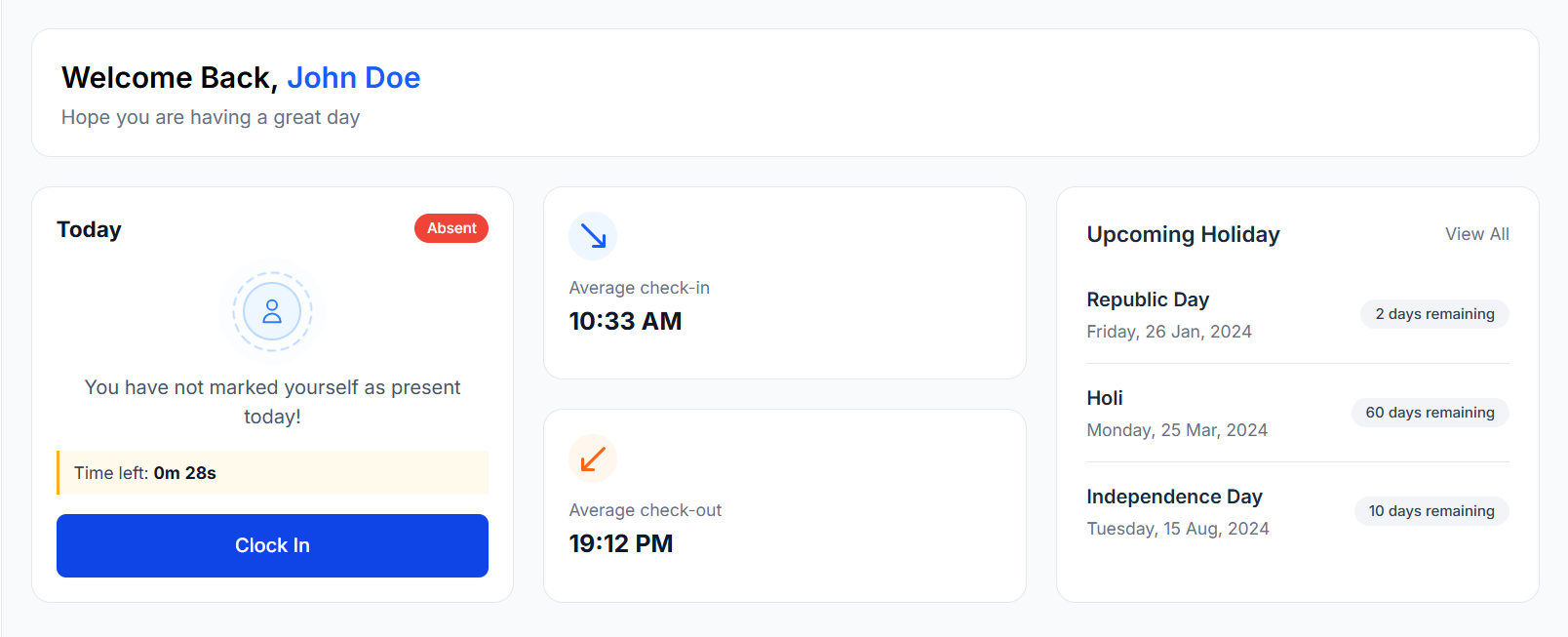
Employee self-service portals are highly significant as they allow workers to add and update personal details, submit leave requests, access documents, and view payroll details promptly.
A user-centric platform is crucial for faster adoption, less time spent on training, and a better rate of productivity.
Step 6: Security, Compliance, and Data Protection Requirements
HR software stores sensitive employee information, such as personal data, salary details, and legal documents; thus, a strong security shield is non-negotiable. The tool must consist of strong security protocols such as data encryption, role-based access, and data backup.
Just as security, compliance support is equally essential. It helps maintain tax regulations, legal requirements, labor laws, and industry standards.
Powerful security compliance measures reduce the risk of data breaches, legal threats, and tax penalties. Thus, verify the privacy policy, certifications, and compliance capabilities before making a decision.
Step 7: AI & Automation Capabilities
In the modern world, AI and automation are making and breaking the digital spaces; thus, the tool you use must be able to offer automated workflows, advanced analytics, comprehensive reporting, resume screening, chatbots, and employee engagement insights.
With AI integration, an HR tool becomes an even more robust resource as it helps reduce manual tasks, improve accuracy, and make data-driven decisions. Furthermore, automation brings consistency and transparency in basic and complex administrative processes, saving time and hard work.
Thus, if your goals are futuristic and you want to remain future-ready, only AI and automation can help your business stay competitive in this regard.
Step 8: Research Vendors and Shortlist options
After you are ready with the final checklist, start finding our vendors that meet your requirements. Thoroughly review their customer support quality, experience in the market, product offering, and industry reputation.
Also, check the case studies and product documentation, privacy policy, and terms of use. Now, create a list of vendors that you find fit in your budget and fulfill your business needs. This way, you will be able to find the solution that is completely relevant to your organization.
Step 9: Request Demos and Trials
The next important thing is to test the HR software for yourself. Demos and free trials allow you to evaluate usability, customization options, reporting capabilities, and overall performance. During the trial period, you must carefully examine how the built-in features can help your business grow.
Involve your HR staff, employees, managers, and IT team, and keep a track of feedback to identify what advantages and challenges you can expect in the long run.
Step 10: Compare Pricing and Value
The cost you are paying must align with what features you are getting. But not all cheap tools make good HR software, so it’s better to compare the pricing models considering subscription fees, implementation costs, training expenses, add-ons, and scalability fees.
Consider the return on investment the software is providing in terms of error reduction, productivity enhancement, and improved compliance. Also, a pricing plan with no hidden charges is ideal for any business. So, make sure you focus on value over pricing.
Step 11: Check Reviews and References
Customer reviews, testimonials, and references provide valuable insights into the brand, software performance, and vendor quality. Check reviews based on usability, customer support, implementation experience, and long-term satisfaction.
Try to dig deeper into the independent platform that offers case studies and client references about the software, as they usually contain reliable information. If possible, try to connect with the real-time users and learn about their first-hand experience.
Step 12: Plan Implementation Strategy
Once you are done shortlisting some of your favorites, you must plan how the implementation process can affect your workflow. Consider factors like data migration, system configuration, integrations, employee training, and testing. Talk to vendors directly and collect information about the implementation timeline, support availability, potential challenges, and system requirements.
After implementation, adoption is equally necessary, so make sure that whatever tool you select can be learned and used without any disruptions. Moreover, proper implementation planning is important for a smoother transition from manual to digital.
Step 13: Make a Final Decision
After evaluating all the above-said factors, it’s time to make a choice. Select one tool that aligns with your future business goals as well as your immediate needs. Check how the tool will support the growth of the company and employees alike.
Involve all the stakeholders in the process and let them decide for themselves. This will ensure smooth alignment across departments without creating any delays. A thoughtful and well-researched option will allow you to foster organizational growth and support your company’s progress.
Why You Need to Choose the Right HR Software
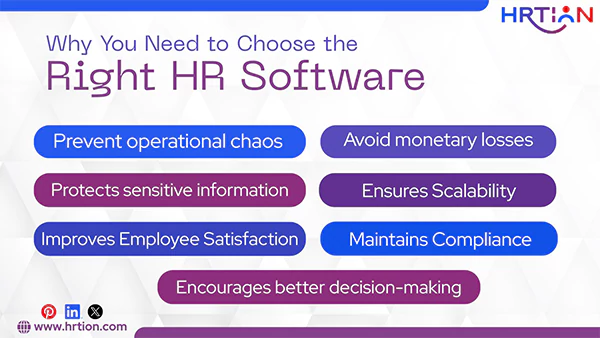
Here is how the right HR software can help your company:
- Prevent operational chaos: An optimal HR tool can streamline the entire organization, and an inefficient one can cause nothing but inefficiency and errors.
- Avoid monetary losses: Incorrect payroll calculations, tax issues, and compliance errors are the biggest risks posed by an unsuitable HR tool.
- Protects sensitive information: Only an impeccable HR tool can protect sensitive data. The smart HR tool always offers end-to-end data encryption.
- Improves Employee Satisfaction: An intuitive interface can improve employee experience, whereas a complicated tool can reduce productivity.
- Ensures Scalability: A good HR tool can grow with your company. However, an inefficient one may need expensive add-ons later on.
- Encourages better decision-making: Accurate analytics helps managers and HR to make data-driven decisions.
- Maintains Compliance: The right HR tool helps you stay aligned with legal requirements and keep legal threats at bay.
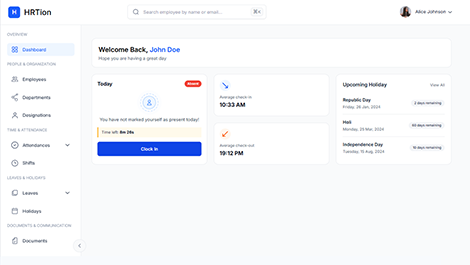
Manage the payroll, attendance, shift roles, and more in an all-encompassing HR suite. Your ultimate HR toolkit is just a click away.
Types of HR Software Explained (HRIS, HRMS, HCM & More)
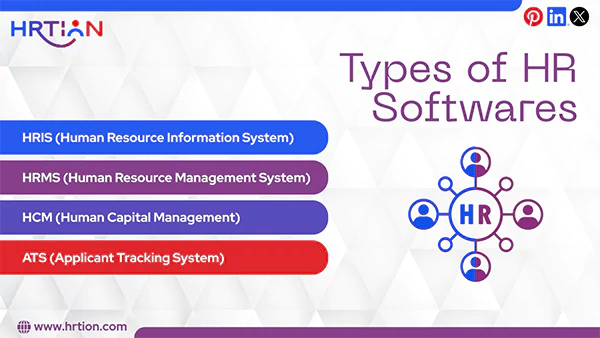
There are four main types of HR software: HRIS, HRMS, HCM, and ATS. Check what they all do and which one you might need.
| Type of HR Software | What it Does | Who Should Use it |
| HRIS (Human Resource Information System) | It focuses on basic functions like employee data management, payroll, attendance, and core HR operations. | Small companies and startups that are moving from manual to automation and have basic HR needs. |
| HRMS (Human Resource Management System) | It has all HRIS features along with talent management, performance tracking, and learning tools. | Mid-sized and growing companies that need more structured HR processes. |
| HCM (Human Capital Management) | It is an advanced HR platform that offers workforce analytics, strategic planning, and employee lifecycle management. | Best for large enterprises and global organizations with complex workflow structures. |
| ATS (Applicant Tracking System) | It is especially designed for recruitment and hiring processes. | Recruitment agencies and fast-growing startups with frequent hirings and heavy HR loads. |
When is the Right Time to Invest in HR Software?
Many companies keep postponing the idea of including automation in their HR operations, but this can cause more harm than good. Thus, always go for early adoption, as it will reduce inefficiencies and boost productivity.
Signs that you actually need HR software right now:
- Your workforce is growing leaps and bounds.
- HR tasks are still handled manually on paper or spreadsheets.
- Payroll errors are rapidly increasing.
- Compliance management is becoming more complex than ever.
- Employee data is not streamlined but scattered.
- Onboarding has become a task.
- Managers lack workforce insights and thus are not able to make informed decisions.
HR Software For Small Businesses vs. HR Software For Large Businesses
Needs of small and large businesses vary; thus, they need different tools to manage their operations. Here is where the difference lies:
| What Small Businesses Expect | What Large Businesses Expect |
| 1. HR Tool is affordable. | 1. Offers Advanced analytics |
| 2. Simple to use. | 2. Provides multi-location support. |
| 3. Easy to set up | 3. Deals in compliance management. |
| 4. Includes Core HR features | 4. Loaded with talent management tools. |
| 5. Supports Payroll automation | 5. Customizes workflow. |
| 6. Allows Attendance tracking | 6. Integration with multiple systems is possible. |
| 7. Provides Basic Reporting | 7. Is highly scalable. |
Common Mistakes to Avoid When Choosing HR Software
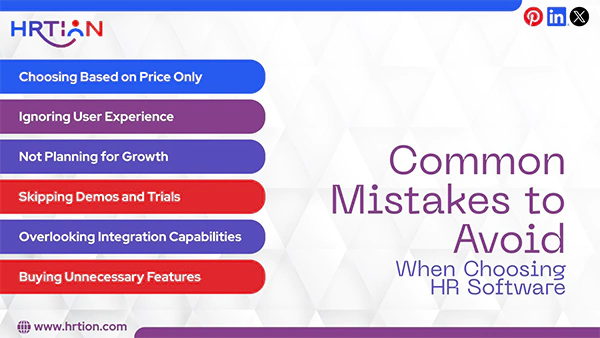
Rushing into the hunt can affect your company’s operational efficiencies. Here are the mistakes that businesses usually make while finding HR software.
- Choosing based on price only: This is one common mistake that most companies make while choosing HR software. “Too cheap” never means more qualitative or efficient. Low-cost platforms often lack essential features such as accurate payroll and compliance management, advanced automation, or reliable customer support, and thus require you to purchase expensive add-ons. So, avoid those “cheaper than all” gimmicks and pay for what you are getting.
- Ignoring User Experience: Even the most robust tool might lack in user experience. Some advanced tools are too complex to integrate and operate and thus cause delays in adoption and operations. So, to avoid any disruption in the workflow, it is essential to keep user experience in account while choosing HR software.
- Not Planning for Growth: Choose a software that is scalable as per the company’s expansion rate. Most companies plan according to their current needs and ignore future goals. As your company grows, you may need additional modules such as advanced analytics, performance management, multi-location payroll, or compliance tools. Thus, always pick a tool that can evolve as your company evolves.
- Skipping Demos and Trials: Not trying before buying is the biggest mistake a company can make while choosing an HR tool. Demos and free trials allow you to check the true potential of the software and help you make an informed decision. So, before committing to an HR tool, make sure your team gets hands-on experience. This will reduce the post-purchase regrets and implementation failure.
- Overlooking Integration Capabilities: HR software is not meant to operate in isolation, as it is often used in combination with other existing tools. Thus, make sure the HR software you are picking includes APIs or native integration potential with other business tools. This feature is highly essential for a unified workflow.
- Not Considering Implementation Time: Not all HT tools can be deployed quickly. Hence, instead of making any assumptions, get real-time insights about the implementation time. Get connected with the customer support team and take guidance regarding the implementation process and the time required for training. This will help you prepare your staff accordingly and balance operations.
- Buying Unnecessary Features: A feature-rich tool often seems more desirable, but it is not always required. So, make sure you are only spending money on the resources that fulfill the needs of your organization, instead of going overboard. Select the tool that aligns with the company’s long-term goals and can evolve. This will save costs and improve efficiency.
HRtion: One Tool That Checks All Boxes
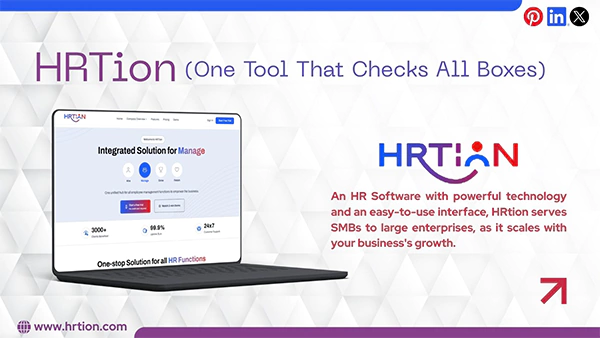
Don’t want to go through any hassle or don’t have enough time? Then, there is one software that can be tailor-made for any business. HRTion is one such smart, seamless, and reliable tool.
From recruiting the right talent, employee management, and attendance tracking to managing performance, HRtion can handle everything with ease.
With powerful technology and an easy-to-use interface, HRtion serves SMBs to large enterprises, as it scales with your business’s growth, and do you know what the best start is? The plans start from $499.
So, if you want a quick and seamless transition, HRtion can be your go-to software.
Frequently Asked Questions:
What are the main types of HR software?
The most used and popular HR software types are:
- HRIS (Human Resource Information System)
- HRMS (Human Resource Management System)
- HCM (Human Capital Management)
- ATS (Applicant Tracking System)
Why are demos and trials needed in human resources software?
To understand the full potential of the HR tool, it is important to try it first. And demos and trials help with the same. After using it for a while, businesses can choose the plan best suited to their needs.
What features HR tools must have?
HR software must have all basic to advanced features. Some of them are attendance, payroll, leaves, documents, compliance, hybrid, or remote management.
How to choose HR software for non-HR staff automation?
While choosing HR software for non-HR staff, focus on self-service, workflow management, and cross-department usability. The features must benefit employees, managers, and finance teams, not only the HR team.

Sunita Kumari is a Freelance Contributor Writer at HRTion, writing accurate, reliable, and informative content. She completed her Bachelor's from Rajdhani College of the University of Delhi. She has been a Human Resources Recruiter for almost 2 years, including over 1 year with Battersea Web Expert. Drawing on her recruitment and HR processes experience, she writes clear and practical payroll-related guides that help employees and job candidates better understand HR procedures and workplace practices.