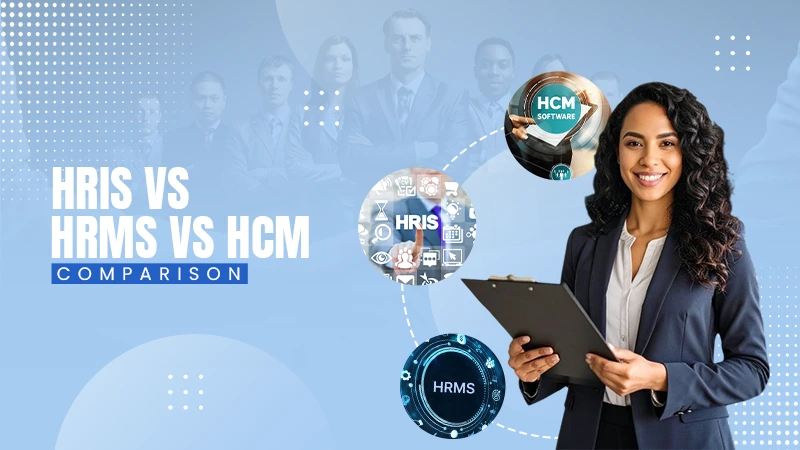

As per several qualified researchers, there is a dire need for automation in human resources due to the sheer volume of tasks. Apparently, studies like “The Impact of HR Automation on Organizational Efficiency and Employee Experience” (by ijirt.org) back this fact.
Thus, the advent of HR software made HR management simpler and more efficient for human resource professionals.
HR management software is a one-stop solution for HRs to reduce paperwork, streamline processes, and improve efficiency. Instead of handling every trivial as well as important task manually, organizations rely upon an automated solution, which saves time and reduces errors.
HR software is integral for small to large businesses for confidentiality, accuracy, productivity, and connectivity.
What is HR software?
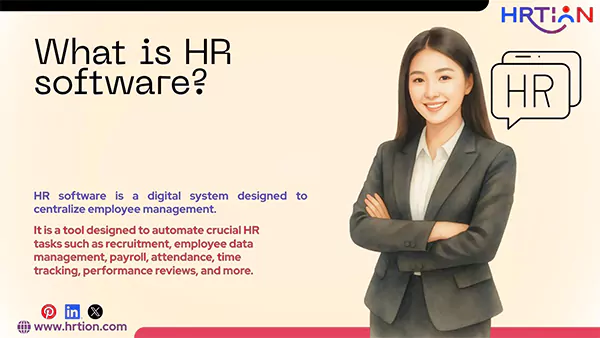
HR software is a digital system designed to centralize employee management. It is a tool designed to automate and optimize crucial HR tasks such as recruitment, employee data management, payroll, attendance, time tracking, performance reviews, compliance, and more.
Moreover, it is fully equipped to deal with heavy-duty tasks such as data analysis and information management.
With businesses being more data-oriented, HR management system software has been nothing but a boon that makes administration simpler, cost-effective, and structured.
What is HR Software Used For?
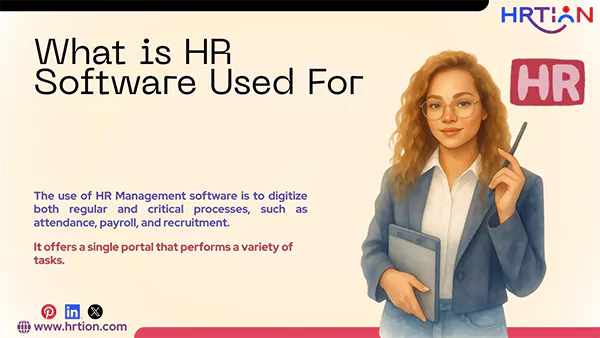
The use of HR Management software is to digitize both regular and critical processes, such as attendance, payroll, and recruitment. It offers a single portal that performs a variety of tasks.
Here is a complete breakdown of what HR software is used for.
- Managing and Capturing Employee Data
HR management system software helps the organization to keep records of personal information, job roles and departments, salary records (payslips), and employment history, and updated documents.
- Onboarding and Offboarding
With an HR tool, it becomes easier to perform joining and exit formalities. From data collection, policy/regulations acknowledgment, digital signatures, team and task assigning, to final settlements, employment revocation, and leaving paperwork, everything is done under one roof, sometimes without any personal contact.
- Document Collaboration
Storing and securing important documents has always been the most vital yet highly complex task for HR professionals, but with an automated tool, all necessary documents, such as contracts, offer letters, performance reports, and even notices, can be tracked digitally and securely.
- Performance Management
The HR solutions system supports performance management by enabling features like goal setting, performance reviews, sharing and receiving feedback, and timely appraisals. Plus, it equips managers with regular updates on employee progress, areas of improvement, and tuned development.
- Compliance and Policy Management
HR software is integral to keeping legal threats at bay, as it helps organizations to stay compliant with labor laws and other internal policies. It tracks the regular audits, informs about updated policies, and brings forth the legal loopholes that need to be addressed.
- Serving Employees
Not only HR people but also employees benefit from a well-developed HR tool. It enables them with self-service by providing a portal to apply for leave, download payslips, update information, access appraisal records, and raise requests to the administration.
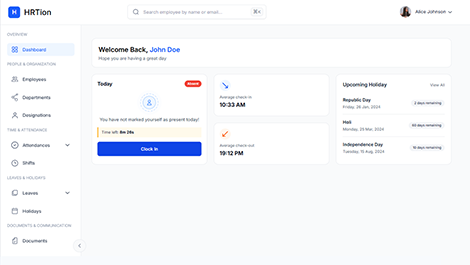
Manage the payroll, attendance, shift roles, and more in an all-encompassing HR suite. Your ultimate HR toolkit is just a click away.
Types of HR software
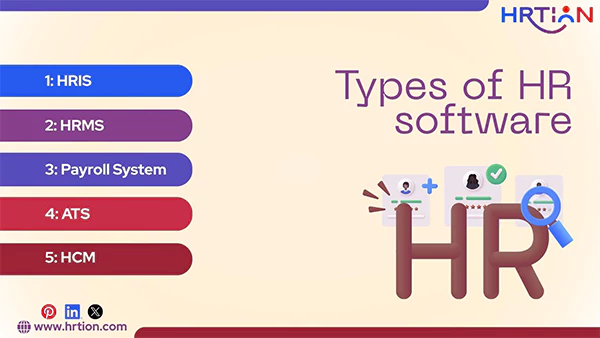
Here are the types of HR software that fit best for every size of organization:
| Quick Overview of All Types of HR Software: | |
| HRIS | Stores and manages core employee data for HR decision-making. |
| HRMS | Handles day-to-day HR operations like payroll, attendance, and compliance. |
| Payroll System | Manages salary calculations, taxes, deductions, and payslips. |
| ATS | Streamlines hiring by managing job postings and screening candidates. |
| HCM | Cloud based HR software and an end-to-end system managing the entire employee lifecycle strategically. |
1. Human Resources Information Systems (HRIS)
It handles all the employee data that can help HR make an informed decision related to hiring, training, and appraisals. It contains information like
- Personal details, including name, Date of Birth, home address, number, etc.
- Employment details, namely date of joining, salary slips, and experience.
- Performance data such as training, workshops, and upskilling.
- Benefits such as health insurance, travel allowance, and other reimbursements.
2. HCM (Human Capital Management)
A cloud-based HR software that is much more than just an administrative source. It counts employees as an asset and helps with the entire employee lifecycle, from hiring and onboarding to performance management, learning, career development, and succession planning.
HCM assists organizations in using and enhancing employees’ skills for improved growth and better revenue generation.
Also, it is designed to perform highly complex tasks related to resource management, such as talent management, workforce analytics, performance tracking, and employee engagement.
This tool is the best HR management software for mid- to large-sized businesses that want to invest in organizational success as well as employee growth.
3. Human Resource Management Systems (HRMS)
HRMs are meant to help make lives easier for HR professionals. They provide a glance at every employee’s details that are required for day-to-day tasks, like attendance tracking, payroll processing, compliance tracking, and performance management.
This HR analytics software is dedicatedly designed to provide better accuracy, reduce errors, and eliminate paperwork.
4. Payroll Systems
Payroll software is the backbone of every organization, as it ensures the timely and accurate processing of payments. They are used to calculate wages, deductions, taxes, bonuses, and other financial elements.
HR and payroll software are also used to generate salary slips, tax forms, receipts, and legal documents in compliance with labor laws and tax regulations.
5. Applicant Tracking Systems (ATS)
Applicant tracking systems are designed to make hiring smoother and easier by filtering applicants beforehand. They screen resumes, collect applications, and also manage job postings.
The resume filtering is done based on keywords, skill set, experience, language known, and salary bar, helping the HR team to find the right candidate in a shorter span of time.
Why Your Business Needs HR Software in 2026
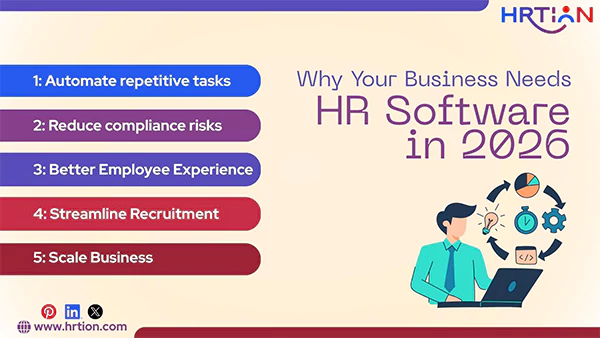
The competitiveness among businesses makes it important to find ways that can accelerate, optimize, and innovate; this is when automation comes into play. HR software enables the organization to automate redundant and time-consuming organizational processes.
Being the backbone of the company, HRs need something reliable to handle their regular as well as critical tasks. Here is how HR software helps businesses in 2026 to stay ahead of the competition:
- Automate repetitive tasks: Tasks like attendance, payroll processing, leave approvals, and record keeping consume a lot of time, but with HR software, these processes can be digitized, saving valuable time.
- Reduce compliance-related risks: The risks associated with employee laws and company policies can be diminished using the best hr software that keeps organizations and employees secure by generating automatic audits, encrypting sensitive data, and minimizing financial discrepancies.
- Better Employee Experience: Modern HR systems are user-centric and thus serve HR and employees alike. Employees can benefit from smooth leave management, benefit information, and regular performance reviews.
- Streamline Recruitment: Companies usually struggle with finding and recruiting the right talent. But with HR tools, tracking applicants, filtering resumes, interview scheduling, and digital onboarding become smoother and more convenient.
- Scale Business: When crucial tasks are handled automatically, management gets time to work on strategic planning, hire remote employees to save costs, and foster a better work environment, leading to expansion and scalability.
How to Choose the Right HR Software
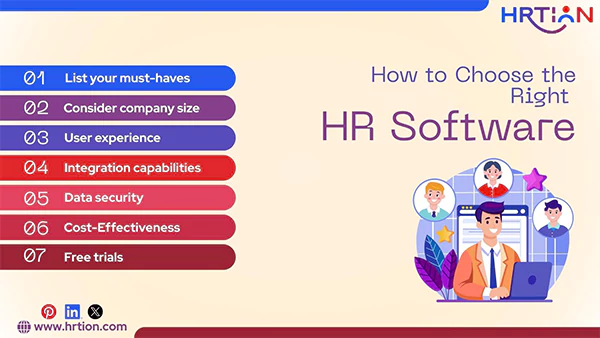
It is hard to pick an ideal HR software solution from the heap. But with strategic planning, an organization can filter out the options that are worth investing in.
This is the checklist that will help businesses to make the arrow hit the right spot.
- Make a list of your must-haves: Check whether your organization needs simpler data management or a payroll tool.
- Keep the size into consideration: Choose the software that can scale up as your company grows.
- Focus on user experience; the software must be easy to work with. This way, both the HR team and employees can make the most out of it.
- Integration capabilities are a must: The tool must be able to integrate with already existing software, such as accounting software, biometric systems, and payroll systems.
- Data security is crucial: Companies can’t afford to lose or compromise employee data; thus, your HR software must be able to comply with and secure sensitive information.
- Pricing and Cost-Effectiveness: It is crucial to compare the per-employee pricing, monthly or yearly subscription plan, or license cost. There must not be any hidden costs for customer support, upgrades, and additional features.
- Free trials are a must: Before making a choice, companies need to run the HR tool for a while. Therefore, use software. that offers a free version that allows you to check the capability and efficacy of the tool.
How the Cost of HR Software is Determined
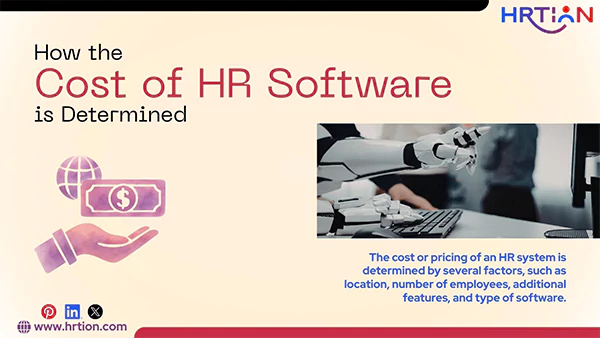
The cost or pricing of an HR system is determined by several factors, such as location, number of employees, additional features, and type of software.
Here is a quick walkthrough:
Strength or Number of Employees:
The cost is usually calculated by the PEPM or per employee per month, formula. The more employees a company has, the higher the cost will be.
Type of HR Software:
The basic systems, like HRIS and payroll, are usually more affordable than the fully fledged solutions, like HRMS and HCM.
Features and Modules:
Cost is directly proportional to the number of features required. Additional features can cost more.
Customization:
Customizing or integrating the HR management software with an already existing tool can raise the price.
Compliance & Regional Requirements:
Local taxes, regional laws, and regulatory compliance make the tool pricier.
Upgrades and Maintenance:
Continuous upgrades in the model or premium support may incur extra pricing, making the tool expensive.
Challenges and Risks Associated with HR Software
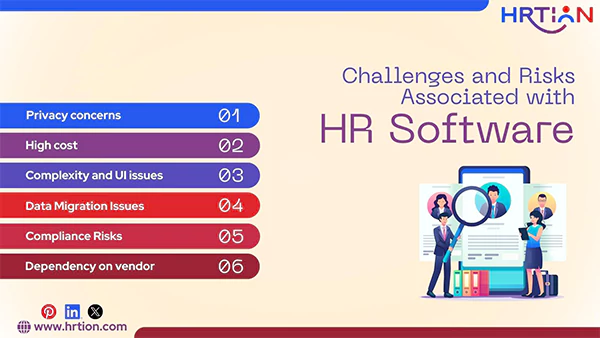
Though well-developed, the best HR software can transform your workflow and organizational processes, but there are a few challenges that cannot be overlooked but can be avoided if used carefully.
Privacy concerns: Software that lacks technical support and regular upgrades can inculcate glitches that can result in data loss and privacy issues.
High cost: Finding a reliable and cost-effective HR tool is a tough nut to crack. Cheap tools often lack security and efficiency, whereas advanced tools are highly priced and include various hidden charges.
Complexity and UI issues: Due to the abundance of features, HR tools can be complex to navigate. This makes it difficult for teams to work through.
Data Migration Issues: Moving a plethora of data that exists in spreadsheets and legacy systems can consume days. And, even the minutest error can cause blunders like payroll issues and compliance concerns.
Compliance Risks: If the software lacks regular upgrades, the organization may lose track of crucial changes in tax and legal laws, which can lead to serious concerns.
Dependency on vendor: Organizations become highly dependent on a single vendor to get the changes done. And a vendor that doesn’t offer good customer support can pose operational risks and delays.
But these challenges can be overcome. How?
Let’s check the panacea for all these concerns.
Introducing HRtion: The Revolutionary HR Software
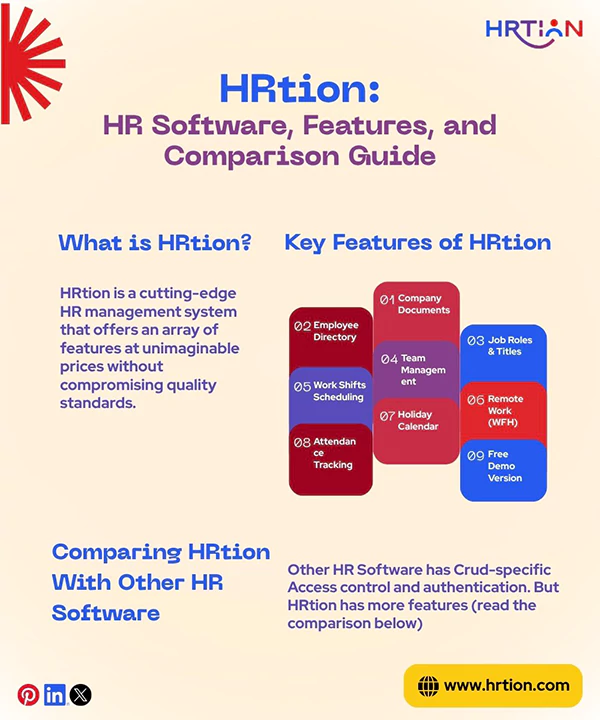
HRtion is a cutting-edge HR management system that offers an array of features at unimaginable prices without compromising quality standards.
Features that Make HRtion a world-class Tool:
The range of features that HRtion consists of is hard to find in affordable HR software.
- Company Documents
Keeping track of all company documents is easier than ever. Documents are readily accessible in one place, which reduces the last-minute panic and holds the entire HR glossary you need at your fingertips.
- Employee Directory
It is no longer necessary to keep a load of paperwork to maintain a record of employees’ personal and professional information, because the employee directory has everything stored securely.
- Job Roles & Titles
Employees can now be segregated according to their job role, title, or responsibilities so that everyone knows what an employee has to offer to the organization.
- Team Management
Instead of juggling through the entire directory, administration, HRs, and managers can directly access and manage their respective team data.
- Work Shifts & Scheduling
This is the trickiest part that HR managers struggle with the most. With Hrtion software, every change in the shift is reflected instantly so that punctuality can be maintained throughout.
- Remote Work (WFH)
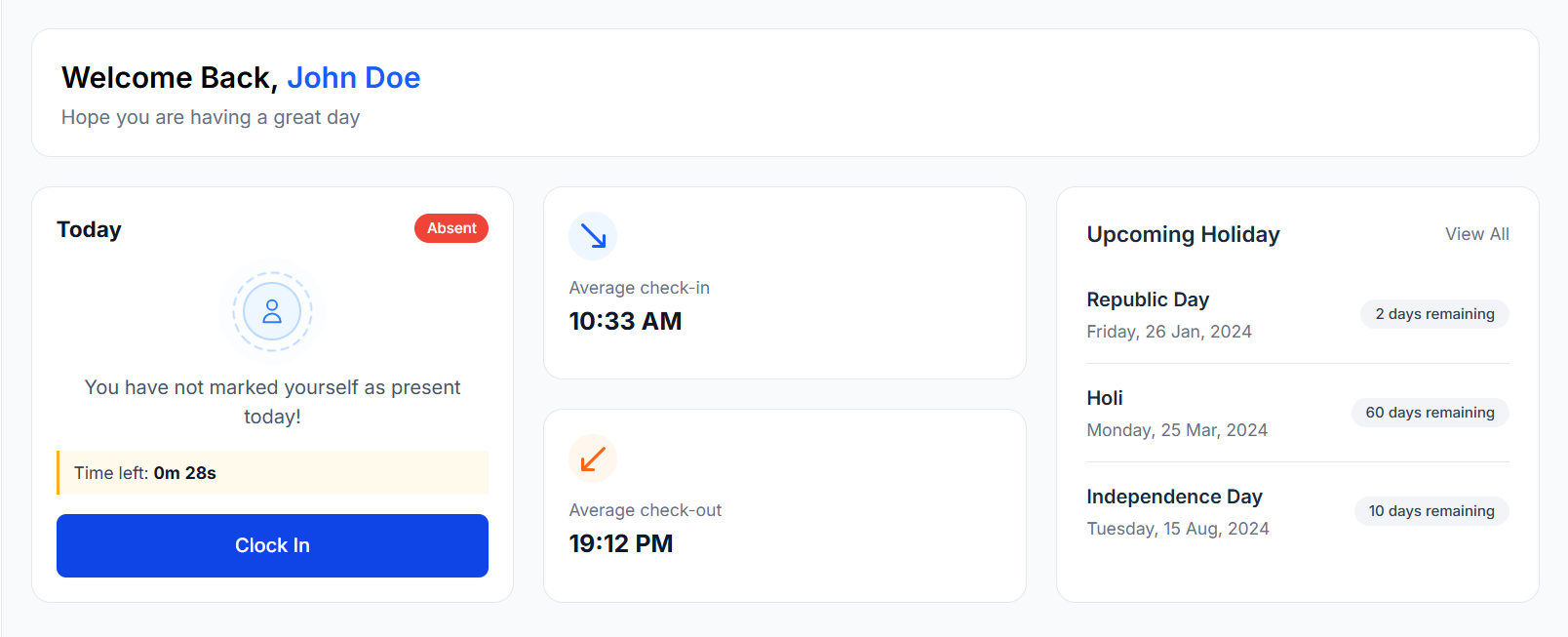
Managing workflow with remote employees is no longer a task, as Hrtion takes care of it effortlessly by informing you of the whereabouts of employees working from home/distance.
- Holiday Calendar
Instead of announcing every holiday through email, just update the holiday calendar at once and keep the entire organization informed.
- Attendance Tracking
No manual attendance is required to keep the record of absentees, as the real-time attendance tracking feature provides you with the precise login and logout hours.
- Free Demo Version
HRtion offers a free trial version to give you an immediate idea of its responsiveness, credibility, and readiness. This helps you make an informed decision about what exactly you need in the premium version.
Comparing HRtion With Other HR Software
| Features | Other HR Software | HRtion |
| Data encryption | ❌ | ✅ |
| Access control and authentication | ✅ | ✅ |
| Mobile responsiveness | ❌ | ✅ |
| Role-based access control | ❌ | ✅ |
| Payroll Processing | ❌ | ✅ |
| Crud-specific Access | ✅ | ✅ |
| Page Optimization | ❌ | ✅ |
| Assets and Equipment tracking | ❌ | ✅ |
| Instant Troubleshoot Support | ❌ | ✅ |
The picture is quite clear: HRtion is an extremely efficient HR management system that can perform as a payroll tool too. This makes it more robust and cost-effective than its contemporaries.
FAQs:
What is the meaning of HR software?
HR software is a digital solution that helps businesses to manage, simplify, and streamline their employee data, company compliance, and document handling.
What software is used for HR?
HR software is mainly used by organizations to save time, improve productivity, and reduce inconsistencies in the administration processes.
Which is the best HRMS software?
The best HRMS software in contemporary times is HRtion, as it offers a wide number of features, robust security, and the highest amount of ease at very nominal pricing.
What is the best HR software for small businesses?
HRMS is the best HR software for small organizations. Some of the prime examples of it are HRtion, Zoho, and BambooHR.
- ResearchGate: Business Software Human Resource Information System for Assistance Human Capital Performance
- https://www.humanresourcejournal.com: International Journal of Research in Human Resource Management 2024; 6(2): 419-423
- https://papers.ssrn.com/: Understanding the Evolution of HR Systems: From Digitisation to Digital Transformation in Human Resource Management

Bhavesh is a Guest Writer at HRTion with an academic background in HR. He did an HR management course in 2025. Before transitioning to HR content writer, he worked as an Academic Content Writer at Trident Management for over 6 years. His expertise in recruitment processes & strategies helps him write detailed and clear content that is not only informative but also accessible for everyone.